
How to Select a Drone Propulsion System: Motor, ESC, Propeller
How to size an integrated drone propulsion system: per-axis thrust, propeller and wheelbase, battery voltage, PWM/CAN and protection, with SIYI E3, D6, E6 and E8 compared.
Software · Ground Control Software
Ground station software for MAVLink-based UAVs, UGVs and USVs on Android and Windows
UniGCS is SIYI's ground control station software for MAVLink-based UAVs, UGVs and USVs, available for Android and Windows. It combines route planning, dual-mode RTK, terrain following and gimbal camera control with parameter tuning for gimbals, links, flight controllers and propulsion systems. It works with SIYI and third-party products, including ArduPilot and PX4 flight controller firmware.
Plans waypoint, mapping, oblique photography, corridor and bevel routes; for bevel routes, the current version supports vertical routes only. The map shows photo points and the camera's field of view.
Supports resuming a mission from a waypoint, waypoint jump, point-to-point navigation and customizable voice broadcast. Routes can be imported from KML or waypoint files, exported or loaded from the cloud.
Works with Ntrip network RTK or a USB base station RTK to correct the vehicle's positioning signal in real time, giving centimeter-level positioning.
Tunes gimbals, links and controllers, flight controllers and propulsion systems in one app. Flight controller tools include flight mode, PID tuning, RC input, servo settings, ESC calibration and motor test.
Displays two video channels, with one-click photo capture, recording, gimbal control and temperature measurement. Camera files can be managed in the app, and AI recognition and tracking is integrated.
Terrain following adjusts altitude from downloaded terrain data, which does not cover every region. Geofences can be set, and telemetry is recorded on the ground station for playback on the map.
SIYI has not published a specification table for this model on its website. [More information available from the distributor]
Specifications are taken from the SIYI website as of 1 October 2026 and may be revised by the manufacturer without notice. View this product on the SIYI website
Based on the reference configurations and case studies SIYI has published that use this product.
SIYI reference configurations that include this product.
Files are served by SIYI, as listed on 1 October 2026. Check the SIYI download page for the latest versions.
UniGCS runs on Android and Windows. It can be installed on third-party links and mobile phones running Android 7.0 or above, with at least 2GB of RAM and 16GB of storage.
Yes. Nearly every open-source flight controller firmware is supported, ArduPilot and PX4 included, along with selected ecosystem products. Confirm specific models with technical support.
It supports multi-rotor, fixed-wing and VTOL aircraft, as well as UGVs and USVs.
Two methods: an RTK base station connected over USB, or network RTK through Ntrip. Either gives unmanned vehicles centimeter-level positioning.
An account is needed only for certain functions, such as loading missions from the cloud and terrain-following flight; everything else works without logging in.
There is no separate language setting: UniGCS follows the system language. Supported languages currently include Chinese, English, Japanese and Thai, among others.
How to size an integrated drone propulsion system: per-axis thrust, propeller and wheelbase, battery voltage, PWM/CAN and protection, with SIYI E3, D6, E6 and E8 compared.
UniGCS v3.0 adds flight controller tuning, a customizable OSD and voice alerts, new route shapes with terrain data, and telemetry log playback to SIYI's ground control software.
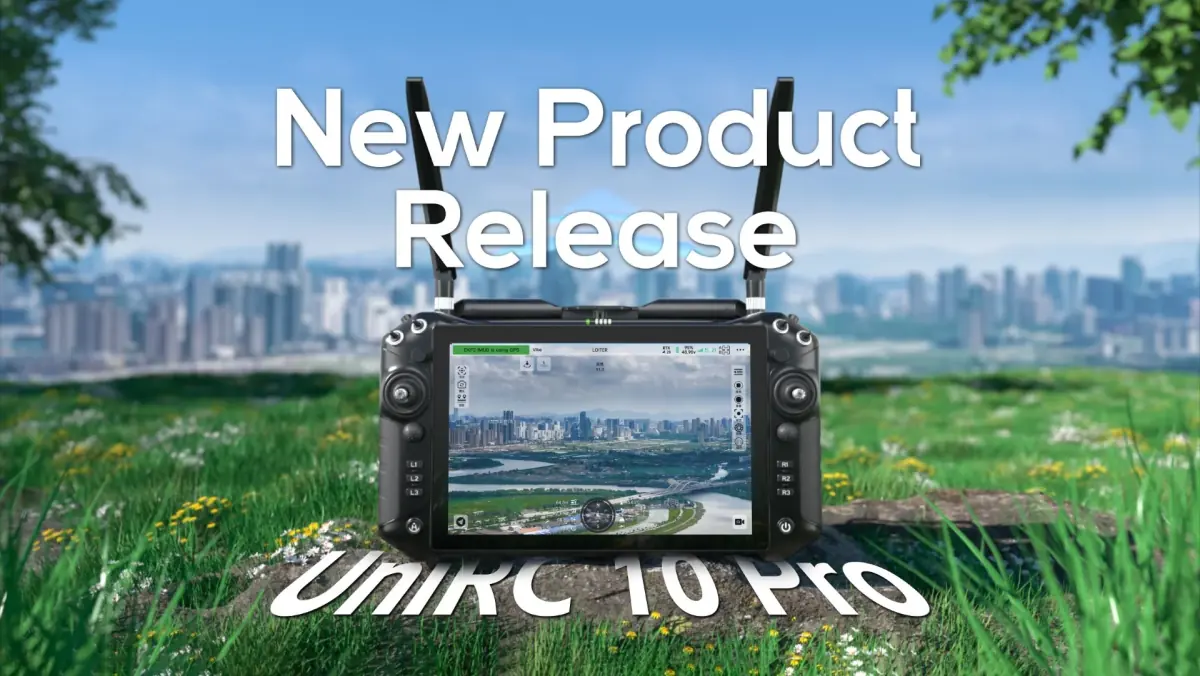
SIYI has released the UniRC 10 Pro, a handheld ground station with a 10.1-inch 2000-nit screen, a triple-frequency link, 27 physical channels and IP54 protection.
Software
No-code AI model training platform for on-premises deployment on Ubuntu
Send us your requirements for more information, a quotation or advice on choosing a configuration.